Key moments
To make a consistently good highlight-reel video, we need to know what to look for.
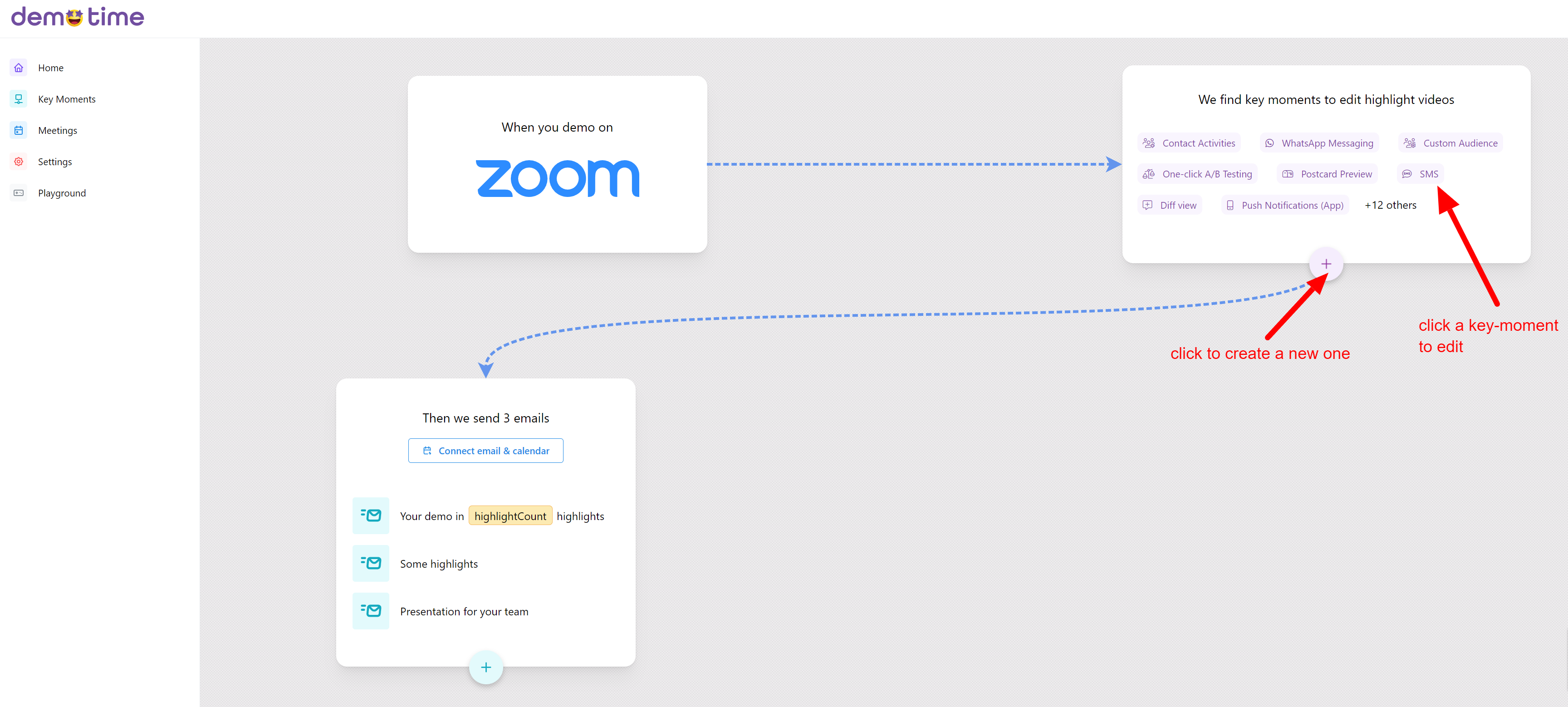
You do this through key moments. This is the second box on the DemoTime app homepage:
Timelapses & Highlights
There are two types of key-moment:
A timelapse is where we look for a specific URL in your demo, and speed the footage up to match the audio you give us.
A ui highlight is where we zoom in on a specific part of the screen & explain it.
In this page we will just discuss timelapses as they are the easiest.
Example
The best way to think about key moments is to think about:
- What should we look for?
- What should we say and show when we find it
Let's look at an example config:
What to look for
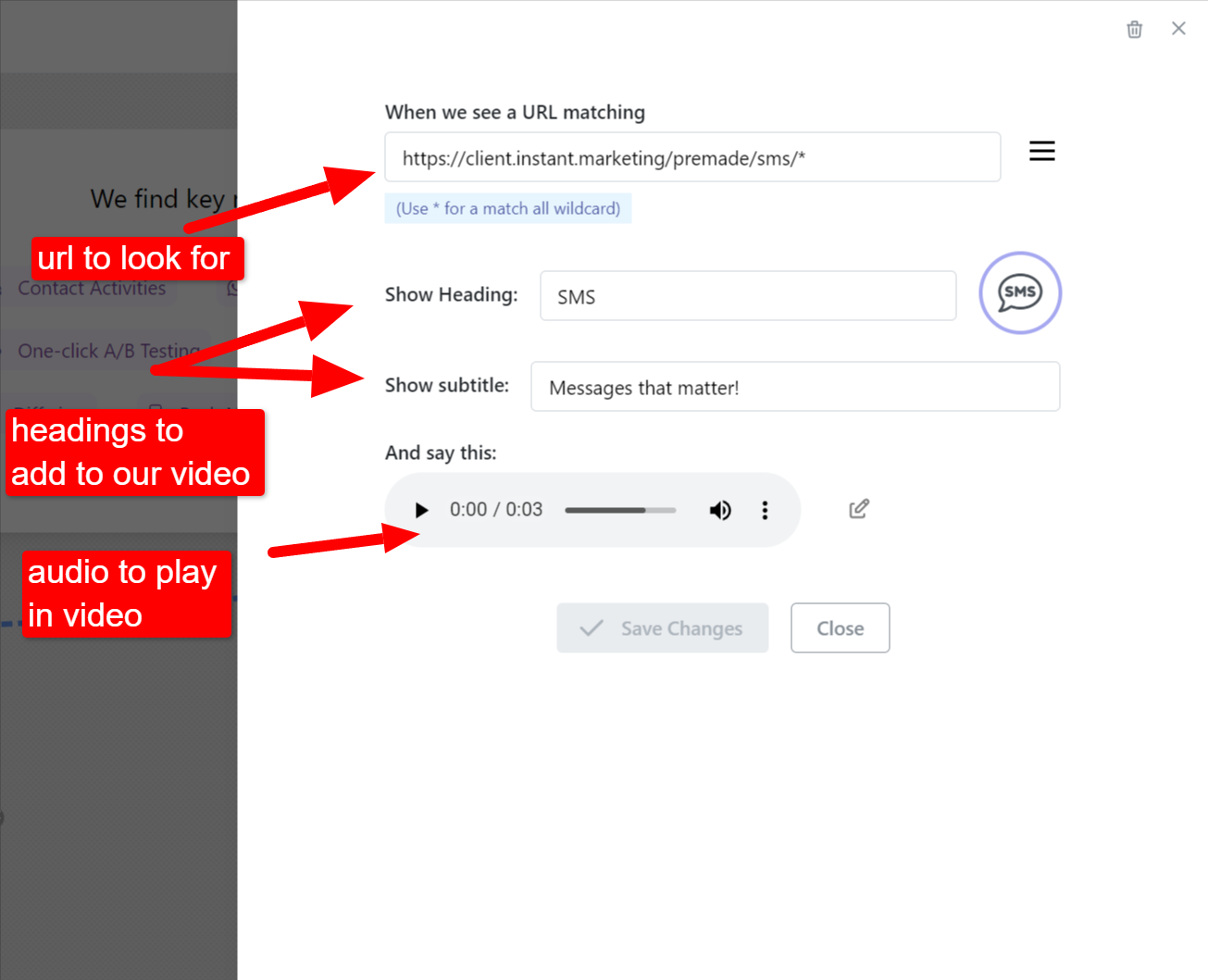
In this example, whenever I visit a URL matching https://client.instant.marketing/premade/sms/* we will use that footage for the timelapse.
So if I am showing this URL for 5 minutes, those 5 minutes will be used and sped-up to match the audio you gave us.
Wildcards
Notice the * in our example. This is a wildcard. It means "match anything". You usually want to end your URL with a wildcard. You might also need to put a wildcard elsewhere - e.g. if there's a dynamic URL.
What to say and show
When we find this matching content in a demo, what should we say and show?
- The audio section gives us the voiceover. You can either type text and we will generate the audio for you, or you can upload your own file, or directly record your voice.
- The visual elements (heading, subtitle and icon) are what we will visually add to the content in the output video.
Managing key moments
Edit
To edit a key moment just click on it in the key-moments section of the home-screen.
Create
To create a new timelapse key moment click the circular + button in the key-moments section of the home-screen.
Delete
To delete, first click it as if you're editing it, then look for the trash-can icon in the top right.
If you need any help
If you need help for any reason please email us at hello@demotime.com